
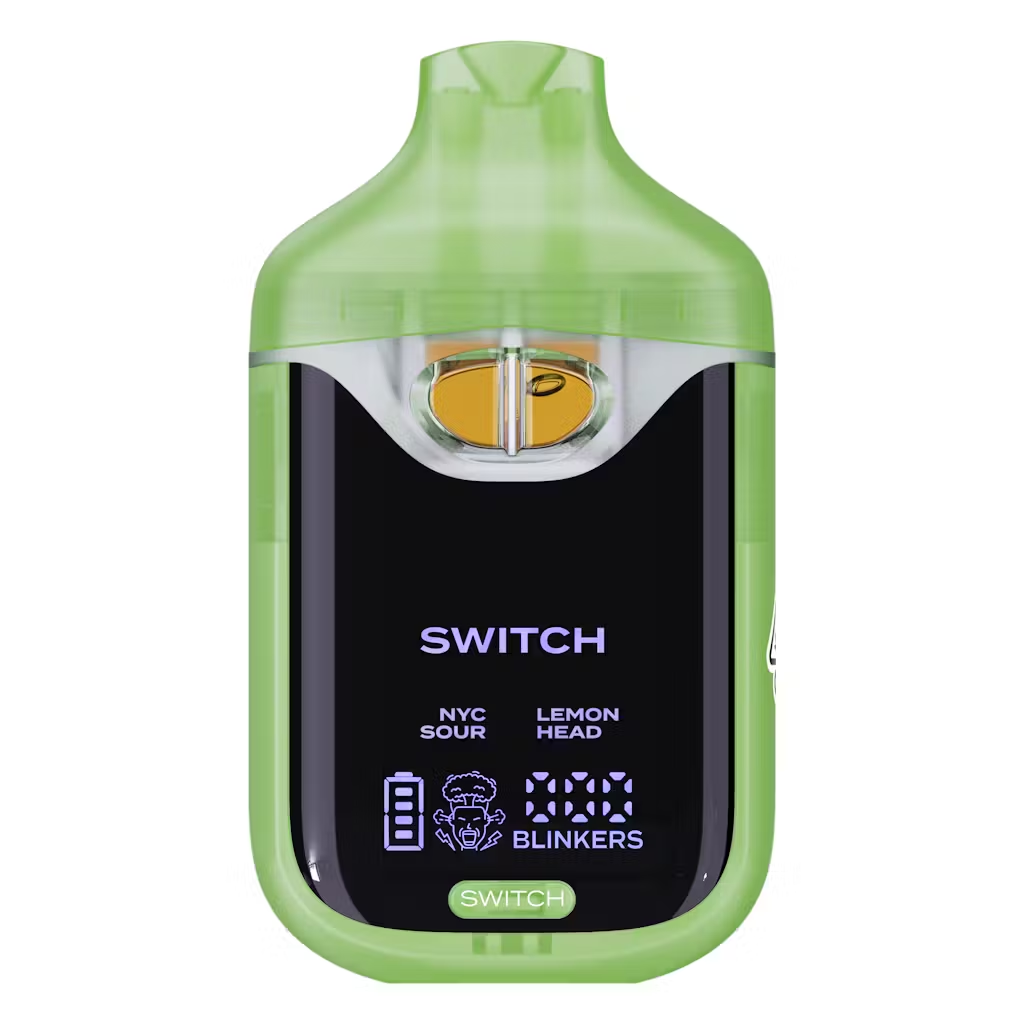
NYC Sour x Lemon Head
Original price was: $25.00.$18.00Current price is: $18.00.
Description
Description
How to Turn Off Boutiq Switch: V4, V5 & All Versions Explained
Introduction
If you’re searching for how to turn off your Boutiq Switch and can’t find an obvious button or switch to press, that’s not a missing feature — it’s the design. The Boutiq Switch has no manual on/off function. It’s a draw-activated device that manages its own power state automatically through a built-in chip, and once you understand how that system works, the “off” question resolves itself pretty quickly.
That said, there are still real steps you can take to prevent accidental activation, extend battery life between sessions, and handle the edge case where the device won’t stop glowing. Here’s everything broken down by version.
Why There’s No Manual Off Switch
The Boutiq Switch — across all versions including V2, V3, V4, and V5 — was built around draw-activated technology. When you inhale, an internal airflow sensor detects negative pressure and completes the circuit to fire the coil. When you stop inhaling, the circuit disconnects within 3–5 seconds and the device enters idle mode automatically.
This design eliminates the need for a power button entirely. There’s no five-click sequence to power down, no hold-to-off, and no sleep timer you need to configure. The internal chip handles all power management passively — the device is effectively “off” any time you’re not actively drawing from it.
Quick Reference: How to “Turn Off” Each Version
-
V4: Stop drawing → device enters idle within 3–5 seconds → LED display dims automatically
-
V5: Stop drawing → smart auto shut-off activates → LED glow ring turns off
-
V3 and earlier: Stop drawing → single LED indicator goes dark → device is idle
-
All versions while charging: Unplug USB-C cable → device is no longer charging but remains in idle mode
-
Prevent accidental activation: Store upright, keep mouthpiece clear of debris and pressure
How the Auto Shut-Off Works on V4 and V5
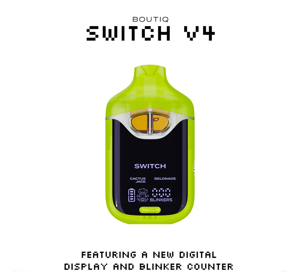
On the V4, when you finish a draw, the airflow sensor detects the absence of inhalation and breaks the firing circuit. The digital display dims after approximately 5–10 seconds of inactivity and the device enters a low-power idle state. The battery management chip continues drawing minimal current to keep the display ready, but the coil circuit is completely inactive.
The V5 takes this slightly further with a dedicated smart auto shut-off feature tied to its LED glow ring. When idle, the glow ring extinguishes fully — this is the clearest visual confirmation that the device has powered down between sessions. The V5 also handles thermal management more aggressively than the V4, meaning it recovers from a hot session and enters a cooler idle state faster.
In practice, both versions behave the same way from a user perspective: put it down, and within seconds it’s in the functional equivalent of “off.”
Step-by-Step: What to Do Between Sessions
Even without a manual off button, there are concrete actions that maximize battery preservation and minimize accidental activation:
Step 1: Stop Drawing and Set It Down
The device deactivates within 3–5 seconds of your last inhale. No button press, no hold sequence — just stop using it and the auto shut-off handles the rest.
Step 2: Store It Upright
Lay the Boutiq Switch flat or upside down and the airflow sensor can misread ambient air movement as a draw attempt, causing brief accidental activation. Upright storage keeps the sensor stable and eliminates this. It also keeps the Liquid Live Diamonds oil properly seated over the ceramic coil wicks, preventing the oil migration toward the mouthpiece that causes leaks.
Step 3: Check the LED Confirmation
On the V4, the display dims when idle. On the V5, the glow ring extinguishes. If you set the device down and the LED remains active after 10 seconds of no use, there may be a stuck airflow sensor — covered in the troubleshooting section below.
Step 4: Keep the Mouthpiece Clear
Storing the device in a tight pocket or bag with debris near the mouthpiece can create partial airflow that the sensor reads as a draw. Keep the mouthpiece facing up and unobstructed when not in use. A silicone mouthpiece cap — like the one the device ships with — is worth keeping if you carry it in a bag.
Step 5: Unplug When Not Charging
If you’ve been charging via USB-C, disconnect once the battery indicator shows full. The device doesn’t have a charging cutoff that disconnects the cable automatically — leaving it plugged in past full charge doesn’t keep it “on,” but it does stress the lithium-ion cell over time.
How to Tell If Your Boutiq Switch Is Off, Empty, or Dead
A common point of confusion is distinguishing between a device that’s idle (off), out of oil, or out of battery. Here’s how to read each state:
What to Do If Your Boutiq Switch Won’t Turn Off
This is the edge case that worries most users — the LED stays lit after you’ve stopped using it, or the device feels warm without being actively drawn from. This usually points to a stuck airflow sensor.
Here’s the safe resolution sequence:
-
Stop using it immediately — a continuously active coil without intentional use is both a battery drain and a heat risk
-
Check the airflow ports — if debris or pocket lint is partially blocking the airflow hole, it can create a pressure differential the sensor reads as a draw attempt
-
Store it upright in a cool, ventilated space for 5–10 minutes — most sensor misfires resolve on their own once the device cools and the pressure equalizes
-
Do not attempt to disassemble the unit — the Boutiq Switch is a sealed device; opening it voids any recourse and introduces real battery puncture risk
-
Contact official Boutiq support if the device continues to stay lit after 10 minutes of undisturbed rest — persistent activation without user input is a legitimate warranty issue
Version-by-Version Power Behavior
V2 and V3
The V2 and V3 do not have a digital display or glow ring — power state is indicated only by a single LED light. When the LED goes dark and the device is not being drawn from, it’s in idle. Some V3 users on Reddit have reported confusion because the device appears to stay “on” — in most authenticated units, this is actually the LED staying active on a very low standby current, not the coil firing. If a V3’s LED stays brightly lit without drawing, suspect a sensor issue or — per community reports — a counterfeit unit where the circuit board doesn’t match genuine Boutiq specs.
V4
The V4 auto shut-off is handled by the same onboard chip that manages the blinker counter and display. The display dims on inactivity and wakes on the next draw or button press. Battery standby drain on the V4 is minimal — leaving it unused for 12–24 hours does not measurably reduce the battery level under normal conditions.
V5
The V5’s smart auto shut-off is the most refined of any Boutiq version, with the glow ring providing an unambiguous visual off-state indicator. The V5 also handles the transition from active use to idle faster than the V4, which is noticeable after heavy sessions where the V4 might stay slightly warm for a few extra seconds.
Preventing Accidental Activation
One practical concern with any draw-activated disposable is the risk of firing in a bag or pocket without your knowledge. For the Boutiq Switch specifically:
-
Use the original silicone mouthpiece cap when transporting — it blocks the airflow path mechanically and prevents sensor triggers from ambient pressure
-
Avoid storing horizontally in tight spaces — the combination of side pressure and the oil-over-coil positioning increases both accidental activation risk and leak potential
-
Keep away from heat sources — temperatures above 85°F can thin the Liquid Live Diamonds oil, increasing the chance of wicking toward the mouthpiece and potentially causing the oil to drip into the airflow sensor
-
Don’t store in sealed, unventilated spaces for extended periods — while the auto shut-off is reliable, a sealed bag with limited airflow around the mouthpiece can create marginal pressure differentials
Pros and Cons of the Auto Shut-Off Design
Pros:
-
Zero user input required — completely effortless power management
-
Eliminates the five-click sequence fatigue common with button-operated vapes
-
Thermal protection built into the auto shut-off prevents coil overheating between draws
-
Battery standby drain is extremely low in idle mode
-
No button wear or click failures over the device lifetime
Cons:
-
No way to truly power off the device for extended storage — the chip draws minimal current continuously
-
Stuck airflow sensor is harder to resolve than a simple button lock
-
Accidental pocket activation is possible without the mouthpiece cap
-
New users consistently search for a manual off switch, suggesting the design isn’t fully intuitive without documentation
Safety Considerations
The auto shut-off design carries real safety implications worth understanding:
-
Never attempt to disassemble the device to “force” a power-off — the lithium-ion battery in the Boutiq Switch is sealed and not designed for user access. Puncturing or crushing the cell can cause thermal runaway.
-
If the device is warm to the touch while not in use, this is abnormal. Set it down on a non-flammable surface and allow it to cool before troubleshooting.
-
The coil fires at full wattage whenever the airflow sensor triggers — if the device is activating unintentionally in a sealed bag, it’s consuming battery and potentially heating oil unnecessarily. Check for accidental activation if battery life seems shorter than expected.
-
As with all THCa products: this device is for adults 21 and older only, and proper storage away from children is essential — the draw-activated design means there’s no childproofing through a button lock.
Buying Guide
-
Confirm your version before purchasing. V4 and V5 have the clearest power-state indicators — the display dimming and glow ring off-state make it easy to confirm the device is idle. Earlier versions rely solely on the LED.
-
Check for sealed packaging with QR code — a counterfeit Boutiq Switch may have irregular circuit behavior, including auto shut-off that doesn’t function correctly. Authentic units include QR verification on the outer box.
-
Inspect the mouthpiece cap on unboxing. A device that ships without the protective silicone cap may have been previously opened or stored improperly — both increase the risk of debris-triggered sensor misfires.
-
Know the price range. Authentic V4 units range $26.99–$54.99. Unusually cheap units from unverified sellers are more likely to have counterfeit circuit boards that don’t implement the auto shut-off correctly.
-
Buy from licensed retailers with available Certificates of Analysis — authentic hardware and authentic extract work together. A genuine unit with counterfeit extract, or vice versa, undermines both performance and safety.
Common Misconceptions
“Five clicks turns it off.” On authentic Boutiq Switch units, five clicks activates Infinity Mode on the V5 — it does not power off the device. There is no five-click power cycle on any current Boutiq version. Some users report this from experience with counterfeit units that use generic disposable circuit boards with standard five-click power sequences.
“Leaving it idle drains the battery quickly.” The standby current draw in idle mode is negligible on the V4 and V5. Leaving the device sitting unused for a day will not meaningfully reduce battery life — the chip is designed for exactly this use case.
“The device is broken if there’s no off button.” Draw-activated auto shut-off is a deliberate premium design choice, not a missing feature. Every version of the Boutiq Switch has always worked this way, from V1 through V5.
FAQ
Q: How do I turn off my Boutiq Switch V4?
You don’t need to — it turns off automatically within 3–5 seconds of your last draw. The display dims to confirm idle state. Store it upright with the mouthpiece clear to prevent accidental activation.
Q: How do I turn off the Boutiq Switch V5?
Same process as the V4 — stop drawing and the smart auto shut-off activates within seconds. The LED glow ring going dark is your visual confirmation the device is idle.
Q: Is there a lock mode on the Boutiq Switch?
There is no dedicated lock mode on authenticated V4 or V5 units. The best functional substitute is replacing the mouthpiece cap when not in use to mechanically block the airflow sensor from accidental triggers.
Q: Why does my Boutiq Switch stay lit after I stop using it?
A continuously active LED after use usually points to a stuck airflow sensor or debris near the mouthpiece creating a false draw signal. Store upright in a cool, ventilated spot for 5–10 minutes. If it persists, contact Boutiq support.
Q: Can I turn off the Boutiq Switch to save battery?
The idle auto shut-off already draws near-zero current between sessions. There’s no additional battery savings achievable from a manual power-off — the onboard chip handles this optimally without user input.
Q: Does the Boutiq Switch V2 have a power button?
No — the V2 is also draw-activated with no manual power button. Some users confuse the strain-select button on later models with a power switch, but on the V2 there is only the airflow sensor for activation.
Q: What should I do if my Boutiq Switch keeps firing on its own?
Stop using it, check and clear the airflow ports, and store upright in a cool space for at least 10 minutes. If self-firing continues after that, the airflow sensor may be faulty — contact official Boutiq support for replacement options.
Q: Is it safe to leave the Boutiq Switch in a car?
Short-term, yes — longer-term, no. Temperatures inside parked cars regularly exceed 85–100°F, which thins the Liquid Live Diamonds oil and increases leak risk. Heat also stresses the lithium-ion battery over repeated exposure cycles. Keep it out of a hot car for storage longer than a few hours.
Final Thoughts
The Boutiq Switch doesn’t need to be turned off — that’s a feature, not an oversight. The auto shut-off system on the V4 and V5 handles power management reliably without any user input, and the visual indicators (display dimming, glow ring off) make it easy to confirm idle state at a glance.
Store it upright, keep the mouthpiece cap on when carrying it, and let the internal chip do its job. The only time you need to take active steps is if the LED stays lit after use — and even then, the fix is usually a five-minute rest in an upright position, not a hardware repair.
Delivery Info
- Standard and Express delivery services are available for all items.
- Shipping costs are calculated at the checkout page (after delivery option & destination confirmation).
- Tracking is available for all delivery options.
- Items are delivered during standard business hours.



Reviews
There are no reviews yet.