
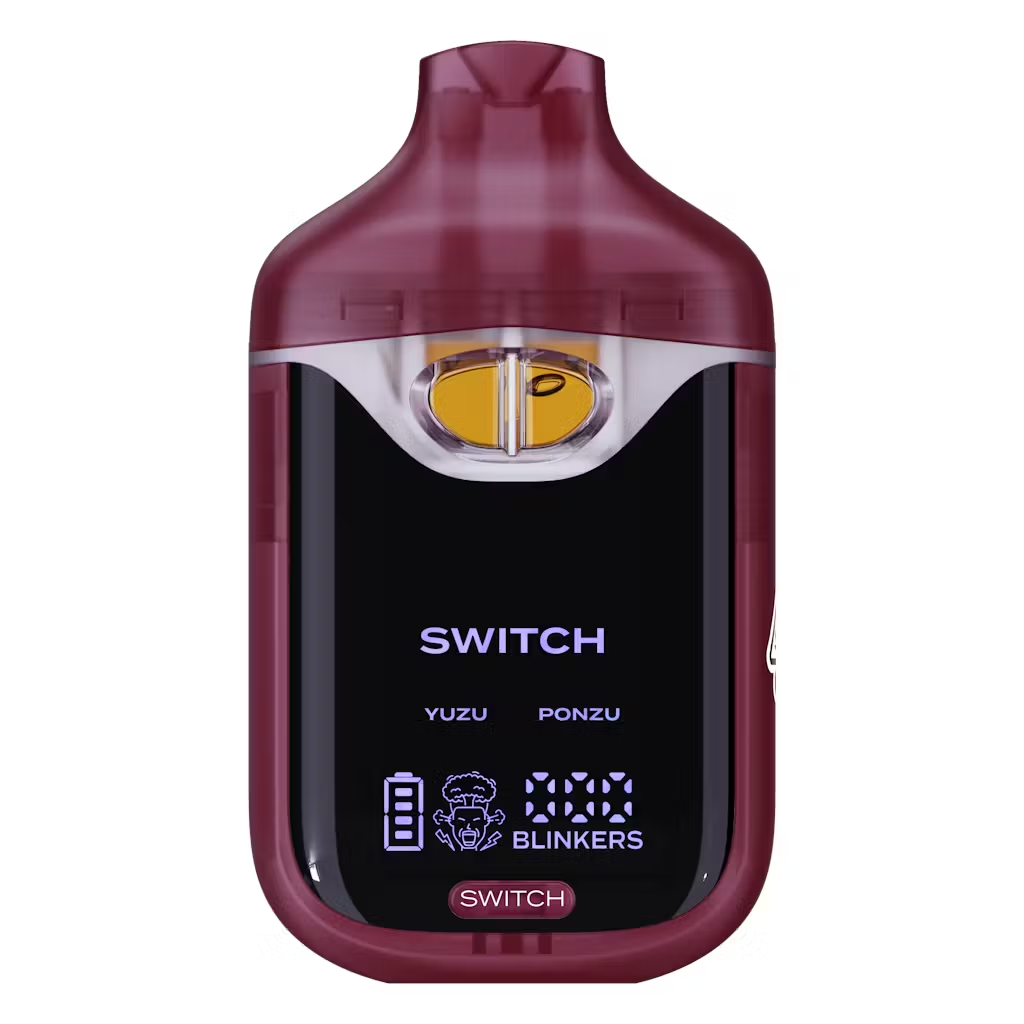
Yuzu x Ponzu
Original price was: $25.00.$18.00Current price is: $18.00.
Description
Description
Boutiq Switch Instructions: Complete Step-by-Step Guide for Every Version
Introduction
You’ve got a Boutiq Switch in your hand, and the packaging instructions are either missing or too vague to actually help — that’s the situation most people are in when they search for this. The Boutiq Switch instructions aren’t complicated once they’re explained properly, but the button modes, blinker codes, and dual-tank logic trip up first-timers more than they should. This guide covers every step across the V4 and V5, from unboxing to your last hit.
What You’re Working With
Before getting into the steps, it helps to understand what the Boutiq Switch actually is. It’s a 2-gram dual-tank THCa disposable — two separate 1g ceramic coil chambers, each loaded with a different strain of Liquid Live Diamonds extract, all housed in a single rechargeable device. The button on the face isn’t just for power — it’s the primary control interface that governs which tank you’re drawing from and which mode you’re in. That’s the detail most people miss on first use.
Quick Reference: At-a-Glance Instructions
-
Remove silicone caps from mouthpiece and airflow holes before first use
-
Inhale to activate — no button required for a standard draw
-
Press button once → Single strain mode, Tank 1 active
-
Press button twice → Dual strain mode, both tanks fire simultaneously
-
Press button five times (V5) → Infinity Mode, one unrestricted draw
-
3 blinks during draw → Low battery, charge via USB-C
-
Charging time → 30–60 minutes via USB-C cable
-
Auto-cutoff → 8 seconds per draw maximum
Step-by-Step Setup Instructions
Step 1: Unbox and Remove All Caps
Open the outer packaging and remove the device. Look for two silicone caps — one covering the mouthpiece at the top and one (or two) covering the airflow holes near the base. Pull both off cleanly before doing anything else. This is the single most common reason a new device appears to “not work” out of the box — the airflow is sealed, so no air means no vapor regardless of battery level.
Step 2: Check the Display Screen
Power on the device by taking a gentle draw or pressing the button once. The digital display will show battery percentage and your current puff count. On the V4 and V5, both are visible simultaneously. If the screen shows low battery, do a quick 20-minute USB-C charge before your first session — some units ship partially charged.
Step 3: Select Your Strain
This is where the Boutiq Switch earns its name. Press the button on the face of the device:
-
1 press = Single strain mode — Tank 1 (the first listed strain on the packaging) activates. The display confirms which strain is selected.
-
2 presses = Dual strain mode — both tanks fire at the same time for a blended hit with roughly double the vapor output. The display shows both strains simultaneously.
Start on single strain mode for your first session. Dual mode is noticeably more potent and burns through both tanks simultaneously — it’s not a beginner starting point.
Step 4: Inhale to Activate
The Boutiq Switch is draw-activated — you never need to hold the button to get vapor. Simply place the mouthpiece between your lips and inhale slowly and steadily for 2–4 seconds. The 1.6Ω ceramic coil heats immediately on airflow detection and produces vapor within about half a second of starting your draw.
Avoid hard, aggressive pulls. The mesh coil system heats most efficiently at moderate airflow — sharp inhales actually cool the coil surface faster and reduce vapor density. Think slow and smooth, not hard and fast.
Step 5: Monitor Your Session via the Display
The screen shows two live data points: battery level and puff count per active tank. Use these together. If the battery reads below 20%, vapor output may thin before the oil runs out — charge at that point rather than pushing through. The puff counter gives you a real-time read on how far into each 1g tank you are, which is particularly useful if you’re managing dosage across a day.
Step 6: Recharge with USB-C
When the battery indicator drops or you see 3 blinks during a draw, plug in using a standard USB-C cable. A full charge typically takes 30–60 minutes depending on the cable and adapter wattage. Do not use fast-charge adapters rated above 10W — the onboard battery management circuit in disposables isn’t rated for aggressive charging.
Disconnect once the indicator light shows full. Leaving it plugged in past full charge shortens battery cell lifespan and, in rare cases, can cause heat buildup.
Button Instructions by Mode
The button does more than switch strains. Here’s every function mapped out clearly:
Single Strain Mode (1 Press)
Activates one tank at a time. The device will toggle between Tank 1 and Tank 2 with each press, confirming the switch with a brief display change. This is the default operating mode and the one to use for standard sessions.
Dual Strain Mode (2 Presses)
Both ceramic coils fire simultaneously. You get a blended draw that combines the terpene profiles of both strains in one hit. Vapor output is roughly double that of single mode — factor that into your session planning. The display shows both strain names active at once.
Preheat Mode (Hold Button for 2 Seconds)
Hold the button for approximately 2 seconds without drawing. The device fires the coil at a low 2.5V for 10 seconds to warm the oil. This is most useful in colder temperatures (below 60°F) where Liquid Live Diamonds oil thickens and doesn’t wick as efficiently. A quick preheat before your first draw prevents thin, airy hits.
Infinity Mode — V5 Only (5 Presses)
Press the button five times rapidly. The V5 will confirm with a 5-blink flash and enter Infinity Mode — a single draw with the auto-cutoff disabled. This is the maximum output setting on the device. Use it deliberately and only if you know your tolerance well. It’s confirmed by 5 blinks on activation.
Charging Instructions
Charging the Boutiq Switch correctly extends battery life and ensures consistent coil performance:
-
Use a standard USB-C cable — not a fast-charge cable rated above 10W
-
Connect at the base of the device — the port is at the bottom
-
Charge for 30–60 minutes until the indicator light confirms full battery
-
Don’t charge overnight — monitor the device during charging and disconnect at full
-
Charge in a ventilated space, not inside a bag or drawer — lithium-ion cells generate minor heat during charging
The battery on the V4 and V5 is specifically sized to outlast the oil in both tanks. If you’ve recharged more than three times and still have significant oil remaining, you’re getting the full value out of the device.
How the Technology Works
Understanding the underlying hardware makes the instructions make more sense. Each tank in the Boutiq Switch has an independent ceramic mesh coil — when you select Tank 1, only that coil activates; Tank 2’s oil sits undisturbed. This means the unselected strain’s terpenes are never exposed to heat between draws, which preserves flavor quality across the full life of the device.
Liquid Live Diamonds is a high-purity concentrate made by flash-freezing fresh cannabis immediately after harvest and extracting under cold temperatures. The result is an oil that retains volatile aromatic compounds stripped out by standard room-temperature processing. That’s why the flavor on the Boutiq Switch reads as distinctly more complex than typical distillate vapes — it’s a function of the extraction method, not added flavoring.
V4 vs. V5 Instruction Differences
The core operating instructions are the same across both versions, but there are a few meaningful differences to note:
If you’re using a V3 or earlier, note that those versions used a single LED indicator instead of a digital display, and did not have preheat mode or a labeled blinker counter. The button logic for strain switching is the same, but the visual feedback is significantly more limited.
Troubleshooting Common Issues
No vapor on first draw: Check that both silicone caps are removed — the base airflow cap is easy to miss. Also confirm the device isn’t in lock mode (press button 5 times to unlock).
Thin or weak vapor: Low battery is the most likely cause. Charge for 20 minutes and retry. If the battery is full, try the preheat mode (hold button 2 seconds) to warm the oil before drawing.
Device blinks but won’t fire: Three blinks signal low battery on most Boutiq Switch versions. Connect to USB-C immediately — attempting to draw on a critically low battery can cause inconsistent coil heating.
Oil visible but no flavor: If the oil window shows liquid but flavor has faded significantly, you may be nearing the end of that tank’s useful life. The last 5–10% of any Liquid Live Diamonds fill tends to be the least flavorful due to terpene depletion near the coil.
Display showing wrong strain: Press the button once to cycle back to your intended strain. The display updates immediately to confirm the active selection.
Pros and Cons of the Boutiq Switch Design
Pros:
-
Draw-activated firing makes everyday use completely effortless
-
Dual-tank instruction logic is intuitive after one session
-
Preheat mode solves the cold-weather thick-oil problem most disposables ignore
-
USB-C charging is universal — no proprietary cables needed
-
Digital display provides real-time session data no basic disposable offers
Cons:
-
Dual mode is easy to accidentally activate with one extra button press
-
Infinity Mode (V5) has no safety limit — requires deliberate, experienced use
-
Instructions printed on packaging are minimal — this level of detail isn’t included in the box
-
Silicone caps are easy to lose if you remove them away from home
Safety and Legal Considerations
The Boutiq Switch contains THCa extract, which converts to psychoactive Delta-9 THC when heated. This is a product strictly for adults 21 and older.
Specific safety notes tied to these instructions:
-
Never exceed 10W charging input — the battery management circuit on disposables is not rated for fast charging
-
The 8-second auto-cutoff exists to protect both the coil and the user — don’t attempt to defeat it by chaining draws immediately after cutoff
-
If the device becomes hot to the touch during charging, disconnect immediately — this indicates a cell issue, not normal charging behavior
-
THCa potency at 90%+ means these instructions apply with real consequence — Dual Mode and Infinity Mode at this potency level demand respect from any user, experienced or not
-
Verify local laws before purchasing — THCa occupies a regulatory grey area in several U.S. states
Buying Guide — What to Check Before You Use It
-
Scan the QR code on packaging before first use. Authentic Boutiq Switch units include a verifiable lab documentation link — counterfeit units will either have no QR code or link to a dead page.
-
Confirm your version. V4 and V5 have the full instruction feature set. Older V2 and V3 units operate similarly but without preheat mode, the full display, or Infinity Mode.
-
Inspect both oil windows. On a new device, both tanks should show evenly filled, clear golden oil. Cloudy or half-filled tanks on a sealed unit are a sign of a compromised product.
-
Price check before purchasing. Authentic V4 units range $26.99–$54.99. Anything below that on an unlicensed marketplace should be verified carefully.
-
Buy from licensed retailers only. THCa products without a Certificate of Analysis (COA) available carry real quality and safety risks regardless of branding.
Common Misconceptions About the Instructions
“You hold the button to draw.” The device is fully draw-activated — the button controls mode selection only. Holding the button without inhaling activates preheat mode, not a standard hit.
“Dual mode means two separate hits.” Pressing the button twice fires both tanks simultaneously in one draw — not sequentially. You taste and feel both strains at once in a blended hit.
“The device is off when the screen is blank.” The display auto-dims after 5–10 seconds of inactivity to save battery. The device is still on and draw-ready — the blank screen doesn’t mean it’s locked or powered down.
FAQ
Q: How do I turn on the Boutiq Switch?
The device wakes on first draw or button press — there’s no separate power-on sequence. Remove the silicone caps, press the button once to select a strain, and inhale.
Q: How do I switch between strains on the Boutiq Switch?
Press the button once — each press cycles the active selection and updates the display. One press activates Tank 1, a second press activates Tank 2, a third press enters Dual Mode.
Q: How do I know which tank is active?
The digital display shows the name of the currently active strain immediately after button press. On older V3 units, you have to count button presses manually as there’s no display confirmation.
Q: How long should I draw for on the Boutiq Switch?
A standard draw is 2–4 seconds. The device auto-cuts off at 8 seconds maximum. Start at 2–3 seconds and adjust from there — the Liquid Live Diamonds extract at 90%+ THCa doesn’t need a long draw to deliver full effect.
Q: How do I activate Infinity Mode on the V5?
Press the button five times rapidly. The device confirms with a 5-blink flash. Infinity Mode is active for one draw only before reverting to standard mode. It removes the 8-second cutoff for that single hit.
Q: Can I refill the Boutiq Switch?
No — it is a sealed disposable. The chambers are not designed to be opened or refilled, and attempting to do so will damage the coil and likely void any product guarantee.
Q: Why is my Boutiq Switch blinking without firing?
Three blinks during or after a draw signal low battery. Plug in via USB-C for 20–30 minutes before attempting further draws.
Q: What does holding the button do on the Boutiq Switch?
Holding the button for approximately 2 seconds activates preheat mode, which warms the coil at 2.5V for 10 seconds. This is useful in cold conditions or when the oil appears thick and slow to wick.
Final Thoughts
Once you’ve run through these steps once, the Boutiq Switch becomes genuinely intuitive — the display does most of the communicating, and the button logic is consistent across all modes. Master the basics (single strain, preheat, blinker reading) before experimenting with Dual Mode or Infinity Mode, and you’ll get the most out of every tank.
If anything still isn’t working after following these instructions, the most common culprits are a blocked airflow cap, a low battery, or a counterfeit unit — so start there before assuming a product defect.
Delivery Info
- Standard and Express delivery services are available for all items.
- Shipping costs are calculated at the checkout page (after delivery option & destination confirmation).
- Tracking is available for all delivery options.
- Items are delivered during standard business hours.


Reviews
There are no reviews yet.