
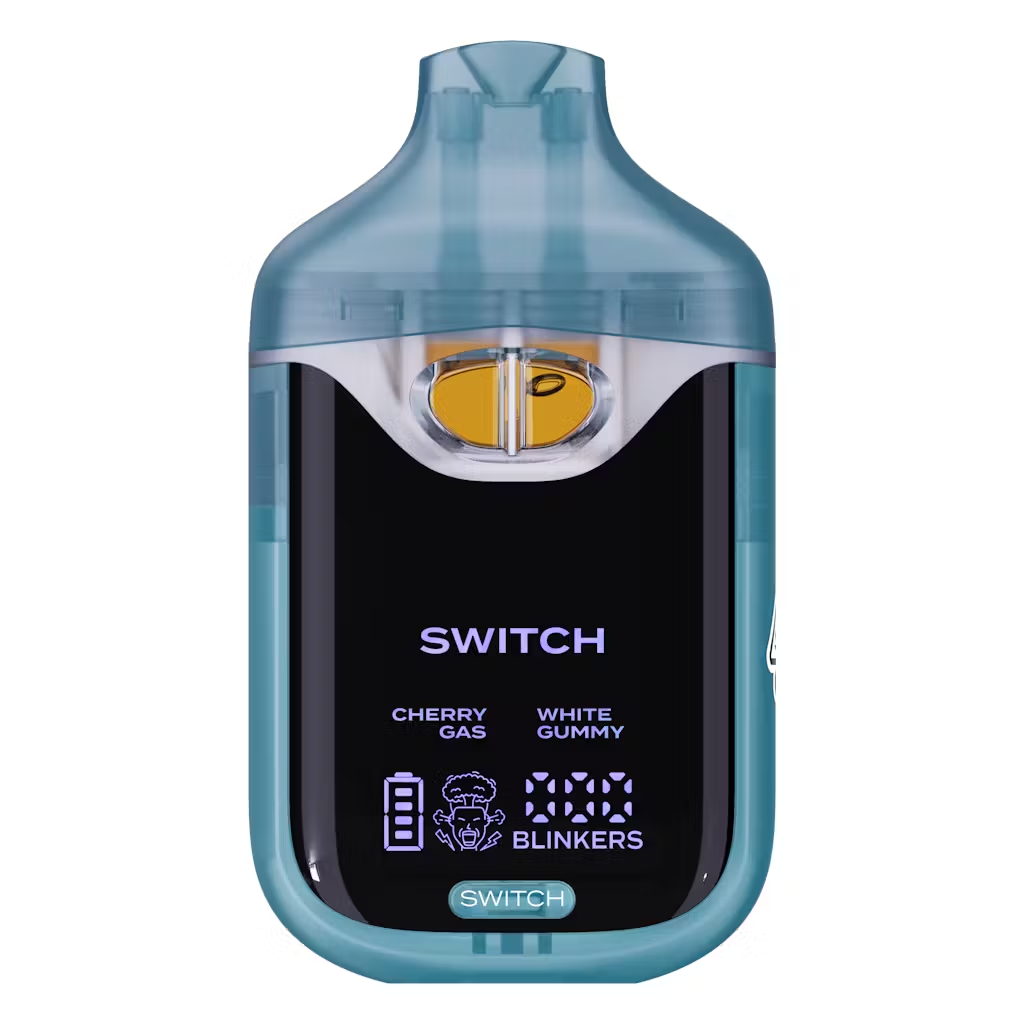
Cherry Gas x White Gummy
Original price was: $25.00.$18.00Current price is: $18.00.
The Boutiq Switch V4 has garnered significant acclaim in the cannabis industry, securing the Best Vape Pen award at the High Times Cannabis Cup and the Best Disposable Vape at WeedCon, underscoring its leadership in quality and innovation.
The latest iteration of the Boutiq Switch V4 elevates the user experience with the addition of a digital display, offering instant insights into battery life and a unique blinker counter for tracking usage.
Description
Description
How to Switch Boutiq Flavor: Easy Dual‑Tank & V5 Selector Guide in 2026
To switch Boutiq flavor, you either tap the device’s switch button so the LED changes color to the new strain, or, on V5 models, rotate the selector dial at the top to the desired tank—then inhale to confirm the new flavor is active.
What you need to know first
Boutiq Switch devices come in dual‑tank and triple‑tank (V5) formats, and flavor switching works slightly differently on each. Dual‑tank models use a button or toggle to move between two strains, while V5 uses a physical selector dial for three flavors plus an Infinity Mode that hits all tanks at once. In both cases, you’re not swapping pods; you’re rerouting airflow and power between separate internal chambers.
Quick answer overview
-
On many dual‑tank Switch disposables, press the switch button once to change from one flavor to the other; the LED color confirms which strain is active.
-
Pressing the button twice quickly can activate both flavors together on some versions, blending them in one hit.
-
On the Boutiq Switch V5, you rotate the selector dial on top to align with the tank/flavor you want, then inhale.
-
The Infinity setting on V5 engages all three tanks, giving a mixed flavor and much heavier effect.
-
Always switch flavors between hits, not during a draw, to avoid confusing LED cues or triggering safety cutoffs.
How to switch Boutiq flavors on dual‑tank Switch disposables
For the classic Boutiq Switch and many V2/V3‑style dual disposables, you have two internal tanks and a small button controlling them.
1. Identify the switch button and LED color system
Typical instructions describe a small button on the body that corresponds to flavor/strain selection. When you tap it, an LED lights up in a specific color that matches a flavor—users report that the light color changes with the chosen tank. For example:
-
Green light = Flavor/strain 1
-
Blue or another color = Flavor/strain 2
The exact mapping varies by batch, but the pattern is constant: color = current flavor.
2. Switch from one flavor to another
Guides for earlier Boutiq disposables explain the core method:
-
Press the button once to switch flavors.
-
Watch the LED change to the new color; that indicates the second tank is now active.
-
Take a puff—if the flavor changes, you’ve successfully switched.
Because the oil channels are separate, you’ll usually notice a clear difference in taste and effect as soon as the new tank comes online.
3. Use “both flavors” mode (if supported)
Some dual disposables also support a blended mode:
-
Tap the button twice quickly to enable both flavors at once.
-
The LED may show a distinct animation or combined color to indicate dual‑tank firing.
This mode pulls from both tanks simultaneously, giving a hybrid taste and a slightly stronger hit. Users often describe it as a “mixed” flavor profile that sits between the two single‑strain options.
How to switch flavors on Boutiq Switch V4
The Boutiq Switch V4 uses a dual‑chamber, 2 g design with a more polished interface but the same basic idea: a built‑in flavor toggle.
1. Understand the dual‑tank layout
Each V4 device carries two separate 1 g tanks, each filled with a different THCa liquid diamond strain. Marketing and review content emphasize that you can go from one profile (for example, a zesty daytime hybrid) to another (a heavier relaxing strain) without changing devices.
2. Press the toggle to change flavors
Usage guides explain switching on the V4 this way:
-
Press the switch/toggle button to move from one tank to the other.
-
The device’s screen and/or LED will update to indicate which tank is active.
This is still a one‑button system: no need to twist or detach anything. You simply tap to flip between the two internal reservoirs.
3. Combine both V4 flavors for a custom hit
Official‑style walkthroughs mention that you can “press the button to toggle between two tanks or combine both for a custom hit.” While implementation can vary, the idea is:
-
Single press = switch to the other flavor.
-
Alternate pattern (often double‑tap) = fire both tanks at once for a blended profile.
For SEO content, it’s accurate to describe this as a customizable flavor experience: you can stay pure to one strain or layer them depending on mood.
How to switch flavors on Boutiq Switch V5 (triple‑tank)
The Boutiq Switch V5 ups the complexity and gives you three internal tanks instead of two.
1. Use the selector dial on top
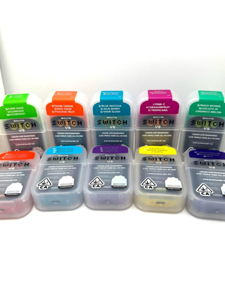
According to detailed V5 reviews, the “Switch” name now refers primarily to the selector dial located on the top of the device.
-
Turn the dial to align the marker with your desired tank position (1, 2, or 3).
-
Each position corresponds to a specific strain/flavor, often labeled numerically or via external packaging.
Physically, you’re not switching flavors via a button; you’re mechanically selecting which tank’s airflow and coil are engaged.
2. Rotate into Infinity Mode for multi‑flavor hits
The V5 also has an Infinity setting on the dial, often marked with an infinity symbol or a distinct fourth position.
-
Turn the dial to the Infinity position.
-
Inhale to engage all three tanks simultaneously.
Reviews describe Infinity Mode as delivering a “massive, layered hit” that blends three distinct strain profiles—Boutiq even curates flavor combos like Sativa Slam or Hybrid Heavyspecifically for these triple‑tank setups.
3. Match flavor switching to your use case
Because each V5 tank can be a different strain type—sativa, hybrid, indica, or flavor‑forward blends—you can:
-
Use a daytime tank for lighter, functional use.
-
Switch to a relaxing tank for evenings.
-
Move to Infinity Mode when you want a heavier, more complex profile.
The selector dial makes switching flavors feel more like choosing a mode on a device than swapping pods.
Tips for getting the best flavor when switching
-
Switch between hits, not mid‑pull
Pressing buttons or turning the dial while you’re inhaling can trigger safety cutoffs or lead to inconsistent activation. Finish a hit, change flavor, then take the next pull. -
Give one or two short puffs after switching
When you change tanks, there may be a bit of the previous oil still in the vapor path. Two small primer puffs clear that out and bring the new flavor fully forward. -
Run lower voltage if you care about taste
V5 reviews note that low (green) voltage around 2.8 V preserves terpenes best, while higher voltages emphasize clouds over subtle flavor. If your main goal is taste testing between flavors, stay on the lower setting. -
Don’t cover airflow when you grip the device
Accidentally blocking vents can mute flavor and make it seem like a particular tank is weaker, when the real problem is airflow.
Safety and common mistakes when switching flavors
-
Hammering buttons too fast
Rapid, random button presses can confuse mode logic and trigger lockouts or blink codes instead of clean switches. Stick to the known patterns: single tap to switch, double‑tap (if supported) to blend. -
Forgetting which color is which flavor
On button‑based disposables, users often forget whether blue or green is which strain, leading to “wrong” effects. When you first get the device, take note of the color‑to‑flavor mapping shown on packaging or in instructions and, if needed, snap a quick photo. -
Treating a V5 like a dual‑tank button device
Trying to switch V5 flavors with a button instead of the selector dial will just change voltage or do nothing. Make sure you’re using the dial for flavors and the button (if present) for power/voltage only.
FAQ: Switching Boutiq flavors and strains
How do you switch flavors on a Boutiq dual‑tank disposable?
On most dual‑tank Boutiq disposables, you press the switch button once to move from one tank/flavor to the other; the LED changes color to match the selected flavor. Inhale after the color change to confirm the new taste.
Can you hit both flavors at the same time on a Boutiq?
Yes, certain Boutiq devices let you activate both tanks at once. Some dual disposables do this when you tap the switch button twice quickly, while the V5 uses the Infinity dial position to fire all three tanks simultaneously.
How do I change flavors on a Boutiq Switch V5?
Turn the selector dial on top so the indicator lines up with the tank/number you want. Each position corresponds to a flavor/strain curated in the V5 line, and the Infinity position activates all three at once for a blended flavor.
Why doesn’t my flavor change when I press the button?
If you’re pressing a button and not tasting a difference, you might be on a draw‑only or dial‑based model, or pressing the voltage button instead of the flavor control. Check whether your device uses an actual switch button, a V5 selector dial, or only auto‑draw with one fixed flavor.
Does switching flavors affect potency or just taste?
Switching flavors generally means switching strains, which can change both taste and effect. For example, a sativa‑leaning tank can feel more energizing, while an indica‑leaning tank may be more relaxing. Infinity or dual‑tank modes combine those effects in a single hit.
Conclusion
At a practical level, learning how to switch Boutiq flavor is all about understanding whether your device uses a button toggle (dual‑tank) or a selector dial (V5), then watching the LED or dial position to confirm which strain is live before you pull. Once you lock that in, you can treat a single Switch device like a mini flavor bar, moving from one profile—or a blend—to another in just a tap or twist.
Delivery Info
- Standard and Express delivery services are available for all items.
- Shipping costs are calculated at the checkout page (after delivery option & destination confirmation).
- Tracking is available for all delivery options.
- Items are delivered during standard business hours.


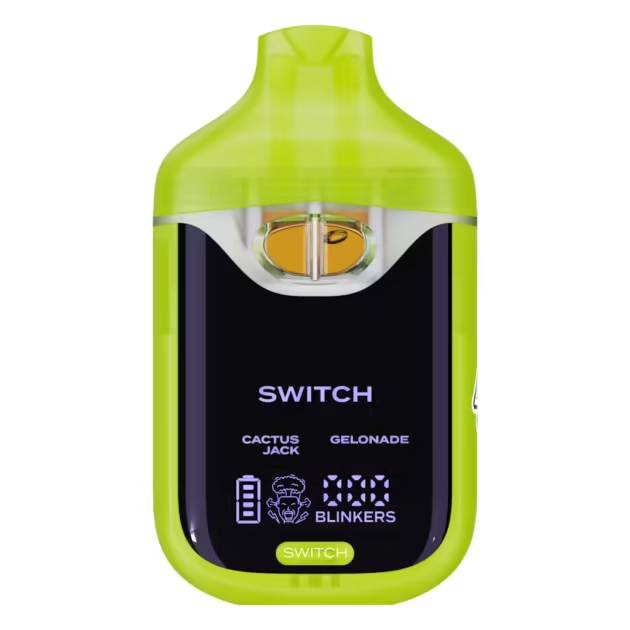

Reviews
There are no reviews yet.