
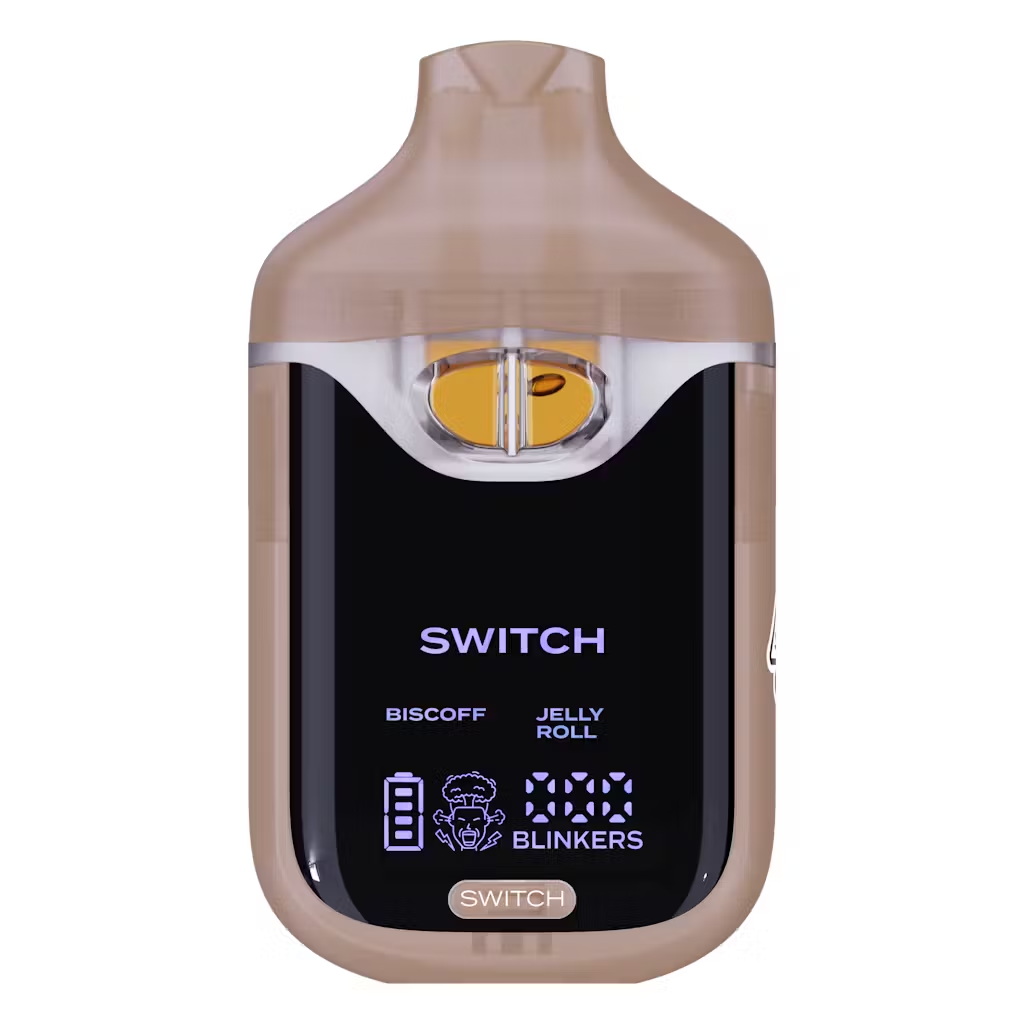
Biscoff x Jelly Roll
Original price was: $25.00.$18.00Current price is: $18.00.
Description
Description
How to Use Boutiq Switch V4: Dual‑Strain, Blend Mode & Screen Guide
To use a Boutiq Switch V4, you remove it from the packaging, take off the silicone plugs, and inhale to activate the draw‑fired system, then use the front button to switch between the two internal strains or double‑click to blend both, while the screen shows which mode, battery level, and puff/blinker count you’re on.
What you need to know first
Boutiq Switch V4 is a 2 g dual‑strain disposable with two separate oil chambers, a draw‑activated firing system, a front button for strain/mode control, and a screen that shows battery, oil, and blinker/puff info. Unlike the older V3, you don’t hold the button to fire; you inhale to hit and tap the button only to choose single‑strain vs dual‑strain (blend) modes. That’s why people searching “how to use Boutiq Switch V4” often just need clear instructions on activate → switch strains → blend → charge.
Quick answer overview
-
Activate: Take the device out of the box, remove silicone plugs, and just inhale to activate—no firing button needed.
-
Switch strains: Press the button once to switch between the two internal strains; the selected strain displays on the screen.
-
Blend strains: Press the button twice to enter dual‑strain mode; both strains show on screen and fire together for a mixed hit.
-
Monitor usage: Use the LED/screen to check battery, oil level, and puff/blinker count.
-
Charge: Plug in via USB‑C; a full charge usually takes 30–45 minutes, with 45–60 minutes as a generous window.
Step‑by‑step: how to use Boutiq Switch V4
1. Unpack, prep, and activate
The official V4 “how to use” guide describes a zero‑setup experience:
-
Remove the V4 from the packaging.
-
Take off silicone plugs or caps from the mouthpiece and any visible ports.
-
Once open, simply inhale to activate—the V4 uses a draw‑activated mechanism.
Retailers echo this: “Just take a puff to start vaping—no buttons or setup needed” for firing. The button is for strain/mode control, not basic activation.
2. Understand the dual‑tank layout
Boutiq Switch V4 is a 2‑gram dual‑chamber device:
-
Each chamber holds 1 g of THCa liquid live diamonds with its own strain.
-
The device routes airflow and power to Tank A or Tank B, or both in dual mode, depending on button presses.
In other words, it’s like having two different 1 g disposables in a single shell, with the screen telling you which one (or both) you’re hitting.
3. Single‑strain mode: choose one flavor at a time
A YouTube V4 review reads directly from the device instructions:
-
“Single strain mode: Press button once to switch between strains; the active strain will display on the screen.”
Another retailer explains it this way:
-
“Switch Strains: Press the button once to switch between strains.”
So your workflow is:
-
Inhale to hit (draw‑activated).
-
When you want to change strains, tap the button once.
-
Look at the screen: the label/text/icon updates to show which strain is now active.
-
Inhale again to taste the new strain.
This lets you go from, say, Orange Slush to Cherry without changing hardware.
4. Dual‑strain mode: blend both tanks
The same V4 instructions add a second mode:
-
“Dual strain mode: Press the button twice to activate both strains; both strains will display on the screen in dual mode.”
Retail product copy summarizes this as:
-
“Blend Strains: Press the button twice to combine both strains for a mixed experience.”
In dual mode:
-
The screen shows both strain names/icons.
-
The device pulls from both chambers, giving a merged flavor and effect profile.
For usage content, you can frame this as: single press for precision strain control, double‑press for custom blended hits.
5. Charging and battery use
Guides covering V4 and V5 share charging basics:
-
Port: USB‑C rechargeable system.
-
Time: Charging usually takes 30–45 minutes for V4; a broader guide says about 45–60 minutes for Switch devices.
-
Indicator: The screen’s battery icon will show charging and then full; charging animations stop or the screen goes dark once complete.
A V4 product page lays out usage steps like this:
Getting the best performance from your V4
A “how to use Boutiq Switch” guide and V4 reviews recommend a few habits:
-
Take steady, controlled pulls rather than hard chugs to keep coils evenly heated and flavor clean.
-
Don’t chain‑hit back‑to‑back; let the coil rest briefly between puffs to reduce harshness and preserve terpenes.
-
Switch chambers occasionally instead of hammering the same side exclusively, to avoid overheating one tank/coils.
-
For flavor‑focused sessions, stay in single‑strain mode; for a heavier, layered hit, move into dual‑strain mode sparingly.
Common mistakes when using Boutiq Switch V4
-
Trying to hold the button to fire
Unlike V3, V4 does not require button‑hold to hit. You just inhale; the button is only for switching/combining strains. -
Forgetting which strain is active
If the effect profile feels “wrong,” check the screen—it tells you whether Strain A, Strain B, or dual mode is active. -
Ignoring battery indicators
If you get weak hits or blinking indicators, the battery may be low. The screen and blinking lights are there to remind you to recharge before you assume the oil is bad or it’s clogged.
FAQ: How to use Boutiq Switch V4
How do you hit a Boutiq Switch V4?
You simply inhale through the mouthpiece; the V4 is draw‑activated, so there’s no need to press the button to fire. The button is used to switch or blend strains, not to make it hit.
How do you switch between strains on the V4?
Press the button once to switch between the two strains. The active strain displays on the screen, so you can confirm which one you’re hitting before you pull.
How do you use dual‑strain blend mode on Boutiq V4?
Press the button twice to activate dual strain mode. Both strain names show on screen, and the device draws from both chambers at once, giving a mixed flavor and combined effect.
Do you have to charge the Boutiq Switch V4 before using it?
Most units come pre‑charged, but you can plug into USB‑C if the battery is low. The V4 guide says charging usually takes 30–45 minutes, and the screen’s battery icon will show when it’s full.
Delivery Info
- Standard and Express delivery services are available for all items.
- Shipping costs are calculated at the checkout page (after delivery option & destination confirmation).
- Tracking is available for all delivery options.
- Items are delivered during standard business hours.

Reviews
There are no reviews yet.